14:00 Shoot: Daily Reflection
- elle walker

- May 13, 2020
- 5 min read
Day 1
I spent a fair amount of time refining my post-processing and creating an action in Photoshop that I didn’t actually edit my first image.
My workflow is:
- Take photograph
- Upload to Lightroom
- Import to Photoshop
- Run Action
- Perform additional editing, like contrast, exposure etc
At some point I’ll need to add the borders in Snapseed but I don’t know whether to add them all at the end of the project or as I go. I want to avoid having too many copies of essentially what is the same image taking up resources on my MacBook and potentially getting confused with my final choice of image, so I’ll have to be exact when it comes to my file naming decision. Photoshop is slow and unreliable at the moment, which is why I’ve decided to add the borders in Snapseed. It’s an extra step in my workflow that I don’t want to have but it’s unavoidable. Using mobile phones apps at least gives me options/a back-up in case things go wrong.
Day 2
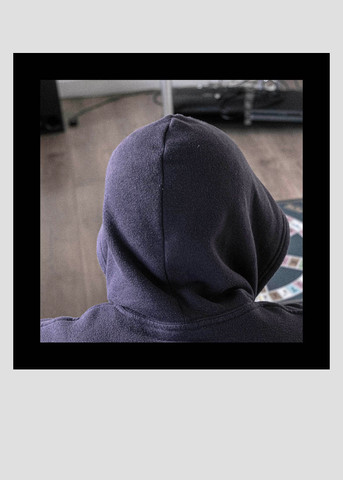
I took more than one photograph today because as with any project, I wanted to give myself some options. Additionally, the feedback suggested that the over the shoulder view from Test 6 and the close shot of Test 1 were both viable options, so I will include both angles of view and make the final choice later.



L-R Test 1, Test 6
Day 3
I only shot two images today. I had been watching something on Netflix and was going to leave it on but the issues around intellectual property rights and copyright, I decided to err on the side of caution and switch it off.
I had been thinking about printing the images and whether I should be saving in CMYK now or later. I decided to leave them as RGB files for now as they will be shared online before they will be sent to print. Conversion is a simple affair so it can be done later.
The other issue that crossed my mind was to save the border making process as an action. With Photoshop running slow yesterday requiring me to force quit the application, I’m not particularly keen to sit here and fight with it, however, processing a single image at a time will be way less problematic than batch processing, so that will be something I will add to my list later in the week.
Day 4 – 10
I’ve been struggling with motivation for the past week. Although I have been taking the shots every day, I haven’t edited every day. I find that due to COVID19 I feel as though my entire life is lived through a screen (phone, tv, camera, laptop) and I just couldn’t bear the thought of sitting in front of a computer screen for longer than necessary.
Day 11
Caught up on my editing backlog, although one of them (Day 7) looks better uncropped. Uncropped reveals more of the room which suggests more space and freedom when the reality is quite opposite. I like this juxtaposition of meaning and how the size and ratio can affect the narrative, so now I’m re-thinking the size issue. But that’s for another day as right now I need a break.
Day 12 – 22
Ten days without an update. The reasons for this are twofold:
a) Photoshop, being the glutton for computing resources that it is, has been difficult to manage. The problem stems to the lack of hard disc space on my MacBook and in turn, the lack of space for Photoshop to perform well. After each days’ upload I would see a message about the scratch disks being full. I had no idea what a scratch disk was or how it affected my performance, but a quick search online revealed what I already knew: my MacBook was crying out for space. So, I had to do some housekeeping, a task which I had neglected simply because I knew how time consuming and tedious it would be. Like most people, I know that it’s crucial to keep my machine in tip top condition, but again, like most people, I put it at the same level of interest in cleaning the oven: too dull to think about, but totally necessary. After reaching a point where there was only 5GB of space left I had to take some action. I spent nearly three days cataloguing, deleting, sorting and uploading my files – mainly RAW files – to assorted cloud-based accounts, freeing up valuable resources. This in itself is only a temporary measure until my delivery of my portable disc drives arrive, but I have enough space to work with for now. So, on Day 22 (Monday 4 May) I was able to edit the backlog. I still have yet to decide about the square format issue and the border size, but I’m going to wait until the end of the project and create two mini versions and evaluate my thoughts on them both. Fortunately, my planner allows plenty of time for additional editing and feedback, so I’m more than comfortable that this won’t impact on the deadline.
b) This project, in the midst of the pandemic has been a real challenge, mentally. Just by looking at the Lightroom library I can determine my state of mind. Days where I have taken only two or three images mean my mental state was low, with the reverse being true: if I had taken several images, even if they were from the same angle, it generally means I feel more optimistic.
Day 23
Four shots taken today, of my empty room. Ash has taken to making himself scarce at around 1pm to avoid being in the shot. The images with him in it are more interesting than the ones without him and certainly more interesting to shoot. An observation I made today: at the beginning of the project I gave myself around 30 minutes prior to shooting to check my settings, composition and move a few objects around the room, but somewhere in the past eleven days I stopped doing that. I’m becoming more familiar with the light in my room at that time of day and my settings have stayed more or less consistent (depending on what the natural light situation is outside). I stopped using the tripod after Day 1 as it was in a very awkward position and too close to a door, so I use the back of the sofa as a rest for the camera but have instinctively managed to be in the same position every day for each shoot.
Seven shoots to go.
Day 24
I had an urgent appointment today and wasn’t sure if I would be home in time to take the days’ shot. As my morning progressed, I was actually hoping that I would miss my self-imposed deadline as I was eager to see how the finished images would appear with a blank space in the middle, however, I returned home shortly before 2 pm and took the required shot.
Day 25 – 30
I’ve had a further batch of file management to take care of before opening Photoshop but it’s running smoothly again for now.
I’ve edited the images as far as the colour palette and border are concerned but in order for them to be print-ready I need to convert them to CMYK and change the dpi to 300. I have created two separate actions in Photoshop to speed up the process.

All edited images.


The next stage is to choose a zine provider, design the layout and and order the finalised copies from the printer.


you have been critical in how the project has progressed each day, revising and rethinking the methods that suited your situation